
For a quick overview of the key features and functions of the Reservations Calendar, watch this video.
The Reservations calendar supports front-desk operations, by allowing users to manage:
- Room allocations.
- Guest check-ins and check-outs.
- Traveller payments.
- Channel payments.
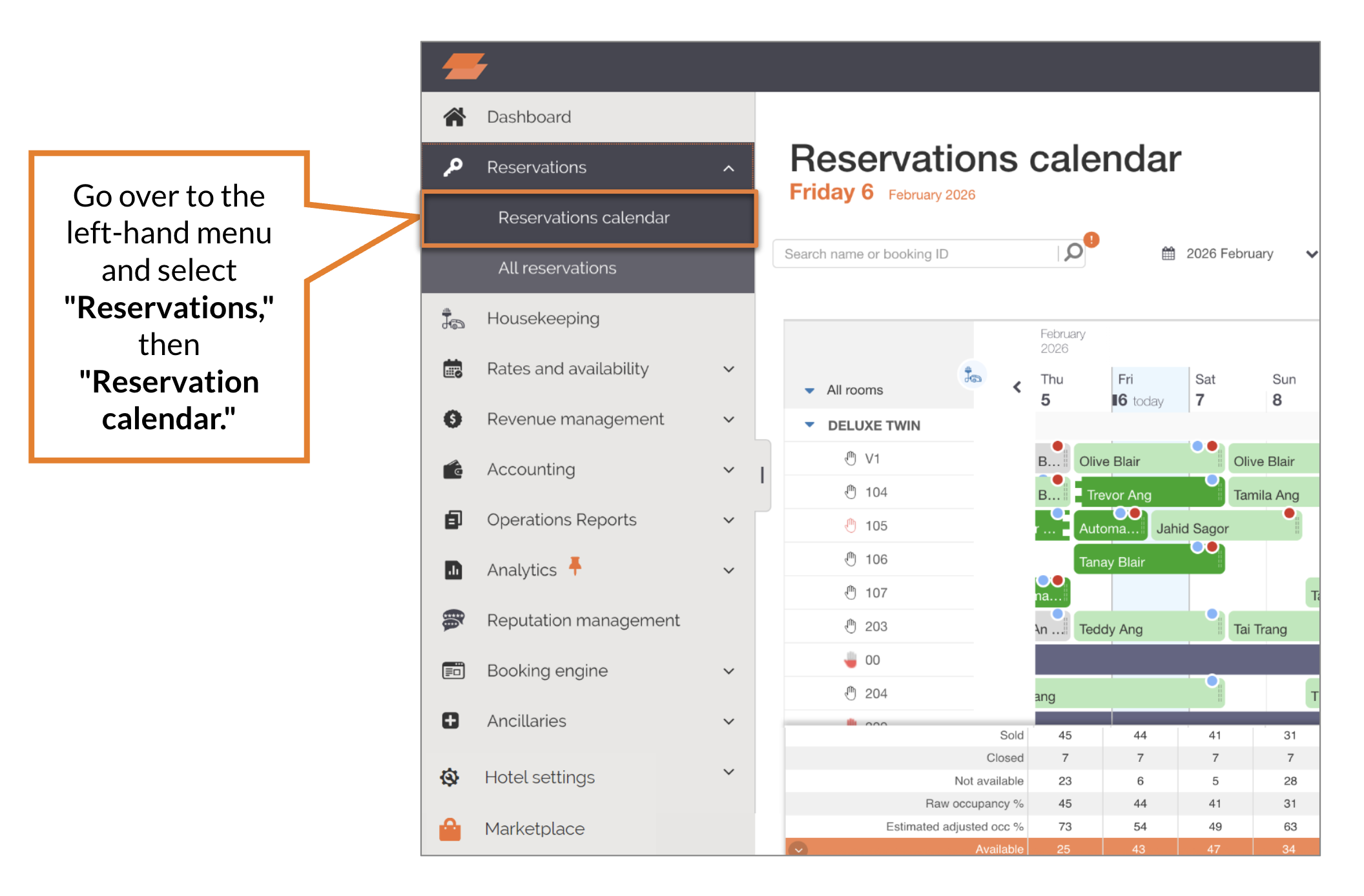
Actions You Can Take in The Reservations Calendar
- Reallocate a booking from one room to another.
- Split a booking (more than 1 night) across multiple different rooms.
- Open and interact with booking cards which allow users to:
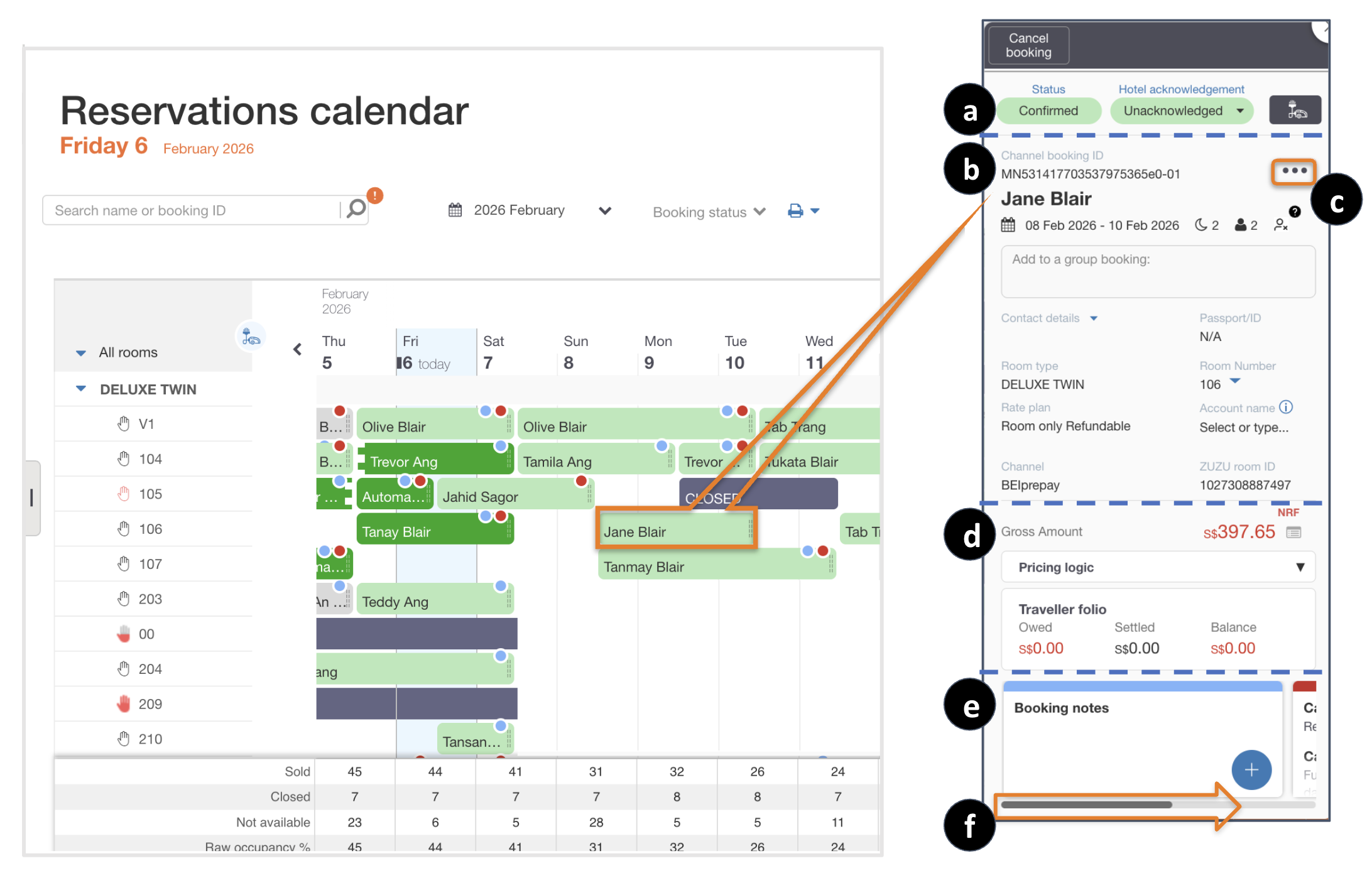
- Check-in & check-out guest.
- View and edit Traveller details and room allocations.
- Print Booking Details, Registration Card and Traveller Folio.
- Manage Traveller folio, Payments and Deposits.
- Manage Channel payments.
- View other - Cancellation policy, Modification logs and add Booking notes.
- Add a new (manual) booking.
Can't find your answer? Contact the ZUZU Helpline
Tags: Reservations calendar, room allocations, guest check-ins, guest check-outs, traveller payments, channel payments, reallocate bookings, split bookings, booking cards, acknowledge bookings, check-in, check-out, traveller details, traveller folios, payments, deposits, booking details, registration cards, customer credit card details, cancellation policy, modification logs, booking notes, new bookings, manual bookings