
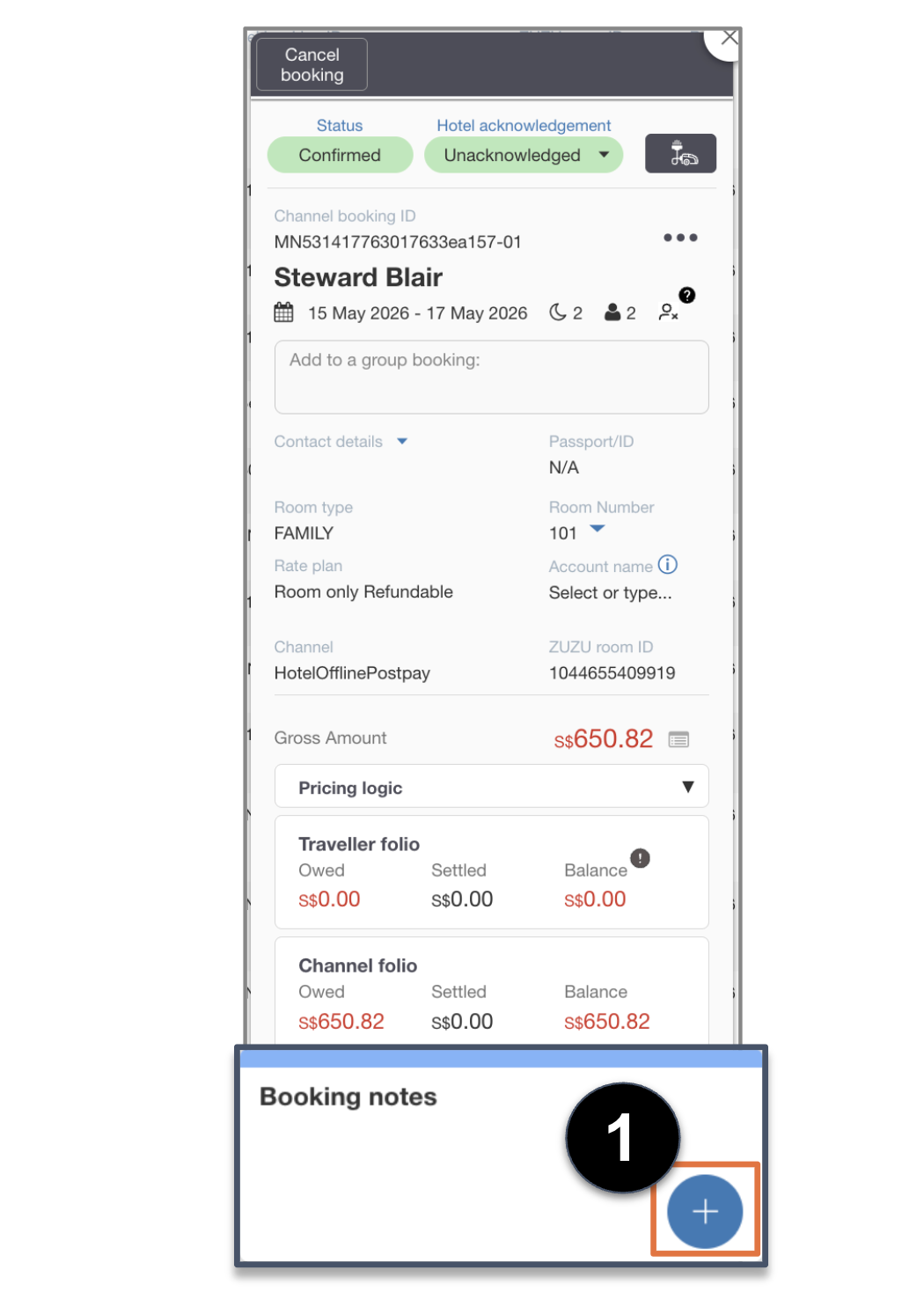
1. In the Booking notes section, click on the + button.
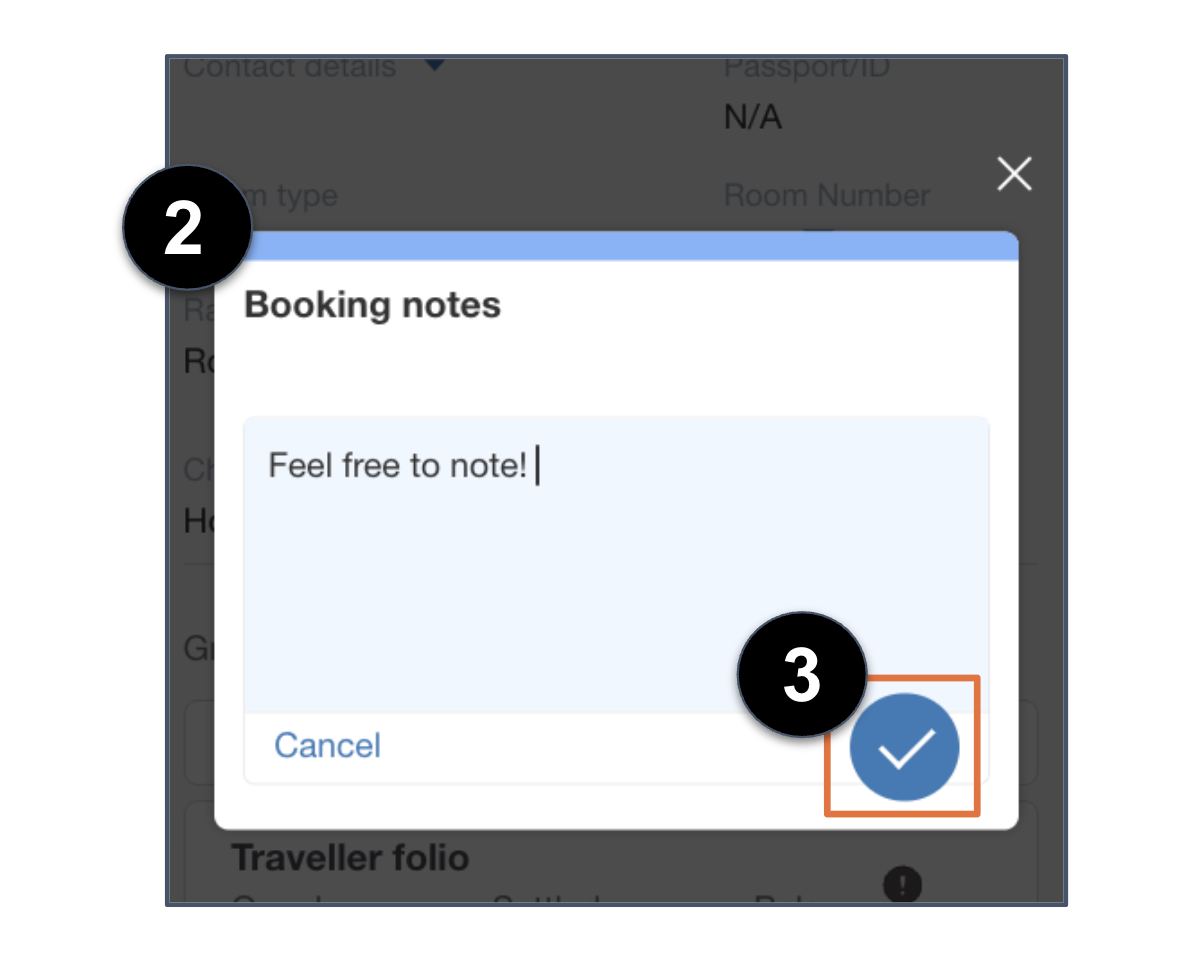
2. Write any booking notes.
3. Click on the ✓ button to save note.
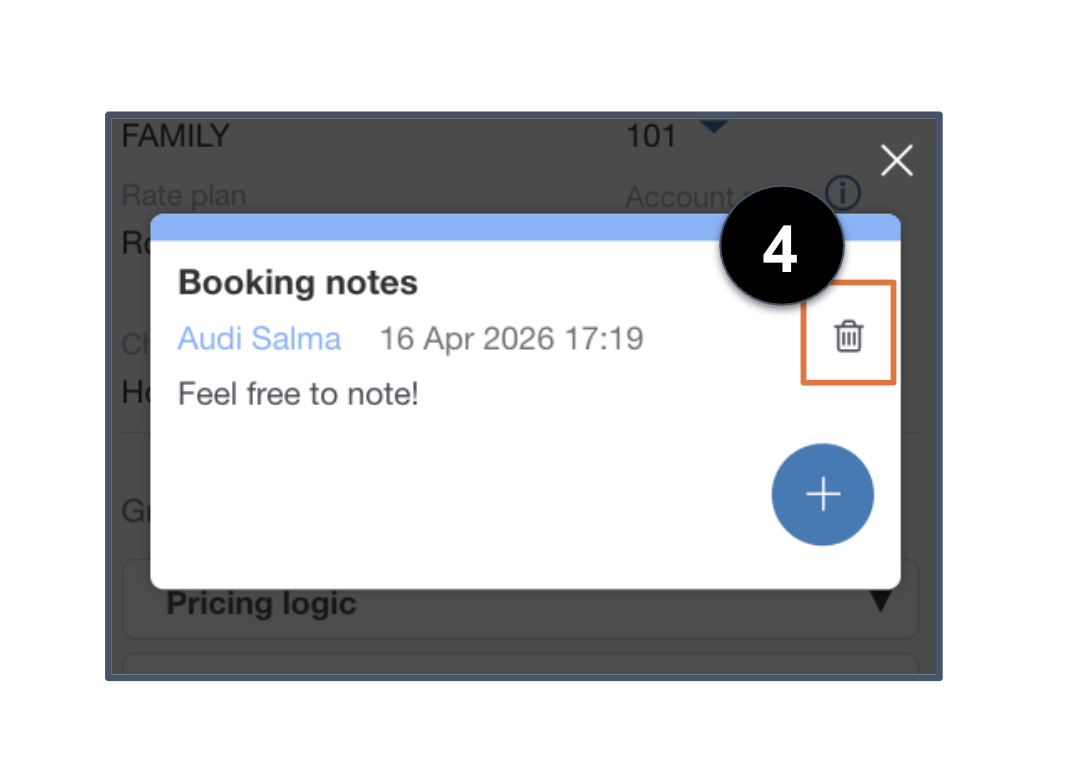
4. Booking note is successfully saved and reflected on card.
- Click on the trash bin icon to delete the note or the + button to add another note.
Can't find your answer? Contact the ZUZU Helpline
Tags: Add booking notes, booking notes, notes, plus (+) button, booking cards